



How It Works
Request your quote
Fill in the short form or call 1800 865 194. It takes about 30 seconds and needs no payment details.
Get a fixed price in writing
A technician calls, asks for your model and how it should connect, then confirms the price in writing. Say no and you owe nothing.
We set it up with you
The technician talks you through each step on your own computer, laptop or phone, in plain English.
Print a test page
We finish when a test page prints from every device you asked for. No fix, no fee on software and setup problems.
How Pricing Works
Every job gets its own fixed price, confirmed in writing before any work starts. The price depends on how many printers and devices are involved, which the technician checks on the first call.
Single printer setup
One printer connected and added to one computer, laptop or phone.
Fixed quote before we start
Printer on several devices
One printer added to several computers, laptops, phones and tablets.
Fixed quote before we start
Small office setup
One or more network printers set up across several workstations.
Fixed quote before we start
- Quoted in Australian dollars
- No fix, no fee on software and setup problems
- Say no to the quote and you owe nothing
What's Included
- Help choosing WiFi, USB or a network connection
- The correct driver from the manufacturer's official website
- Your printer added to each computer, laptop or phone you need
- Default settings: paper size, two-sided, colour or black and white
- Scanning set up where your printer supports it
- A fixed network address so the printer stops going offline
- A test page printed from every device
- Plain-English explanation of anything that needs the manufacturer
Setup Services We Offer
Wireless (WiFi) Printer Setup
Connect your printer to your WiFi network and your computers, phones and tablets.
- Joining the printer to your WiFi network
- Adding the printer to Windows and macOS computers
- Mobile printing from iPhone, iPad and Android
USB and Local Printer Setup
Set up a printer connected directly to one computer, and optionally share it with others.
- Installing the correct driver from the manufacturer's official website
- Default settings: paper size, two-sided printing, colour or black and white
- Sharing a USB printer with other computers in your office
Network Printer Setup for Small Offices
Install one or more network printers so every workstation can print.
- Ethernet or WiFi connection and IP address planning
- Adding printers to multiple Windows and Mac workstations
- Scan-to-email and scan-to-folder where supported
Printer Setup Troubleshooting
A printer you already set up is offline or not found? We check the setup and fix what can be fixed in software.
- "Printer offline" and "driver unavailable" errors
- Print queue problems on Windows
- A clear answer if it is a hardware fault for the manufacturer or a repair shop
Ready for your fixed quote?
Call now, or leave your number and a technician calls you back.
Frequently Asked Questions
Are you HP, Canon, Epson or Brother support?
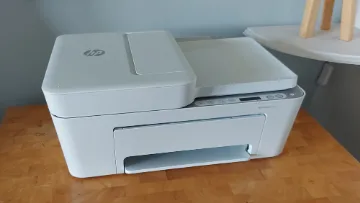
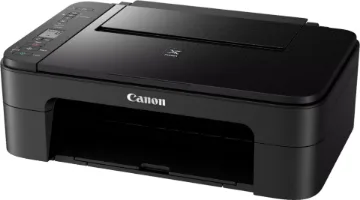
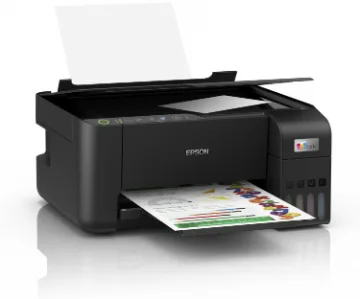
No. Avenqube LLC is an independent company with no affiliation, endorsement or sponsorship from any printer manufacturer. Brand names are used only to describe the equipment we can configure. For warranty claims or hardware repairs, contact the manufacturer directly.
When do I find out the price?
Before any work starts. A technician confirms a fixed price in writing, and nothing begins until you accept it. If you say no, you owe nothing. You only ever pay after you approve the fixed written quote.
What if you cannot fix it?
No fix, no fee on software and setup problems: if we cannot fix a software or setup problem, you are not charged. If the cause is a hardware fault, we explain what we found and point you to the manufacturer or a local repair shop, and you are not charged for the troubleshooting.
Can I do this myself?
Often, yes. Windows, macOS, iPhone and Android all have built-in steps for adding a printer, Call us if the printer is not found, the driver will not install, or it keeps going offline.
Do you need my WiFi password?
No. You type your WiFi password into the printer or your computer yourself while the technician talks you through it. We never need to know it.
Is it a new printer or one that stopped working?
We help with both. We set up new printers out of the box and add existing printers to new computers and phones. If a printer that used to work has stopped, tell us on the call and we will say whether it is a setup problem we can fix.
What if my printer is too old?
Tell us the model on the call. If the manufacturer no longer provides a driver for your version of Windows or macOS, we tell you before any work starts, so you do not pay for a setup that cannot work.
Which countries do you serve?
We serve customers across Australia and New Zealand. Call our Australian toll-free line, 1800 865 194; you are quoted in Australian dollars.
Get your printer working today
Free written quote first. No fix, no fee on software and setup problems.
Australia & New Zealand clients
Independent third-party service. Not affiliated with HP, Canon, Epson, Brother or any printer manufacturer.